
CallCloud for Apollo
CallCloud is a parallel and power dialer for outbound sales teams. Connect Apollo to dial your Apollo call tasks, sequences and contact lists with up to 5 lines per rep, and every call is logged on the Apollo contact with its outcome, notes, recording and AI summary. The call task completes on its own.
Overview
- Apollo stays the home of your contacts, sequences, tasks and call history.
- CallCloud does the calling: up to 5 lines at once, voicemail and call screener detection, local numbers, recordings and AI call notes.
- Each call goes back to Apollo as a call record, attributed to the rep who made it, so Apollo reporting stays complete.
Connect Apollo
Connecting is done once for the whole team, by signing in to Apollo. CallCloud never asks for an Apollo API key or password.
- In CallCloud, open Settings, Integrations.
- Choose Connect on Apollo. An Apollo sign-in window opens.
- Sign in to Apollo and approve CallCloud. Apollo only lets an Admin, a Billing and Seat Manager, or a profile allowed to authorize third-party apps approve it.
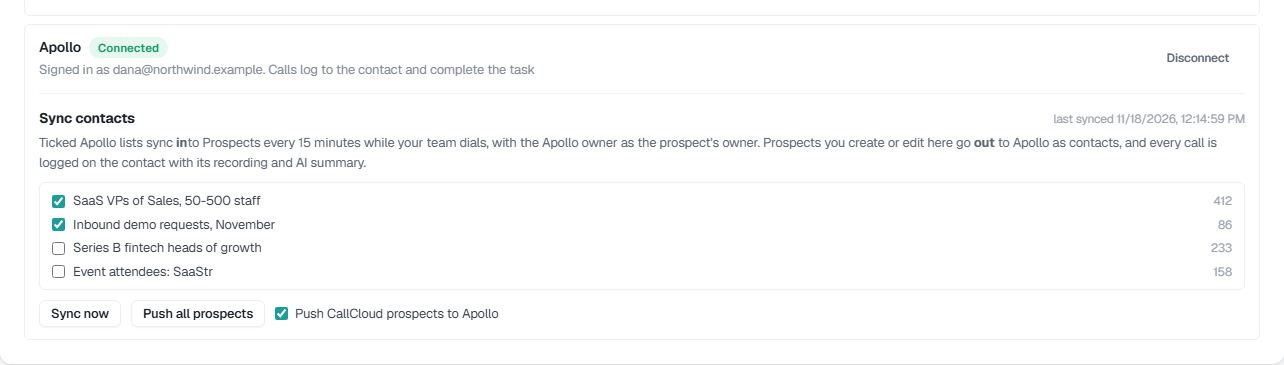
- The window closes and the Apollo row reads connected.
New to CallCloud? Start a free trial first (3 business days, every line), then connect Apollo from Settings.
What CallCloud uses in Apollo
| Apollo data | What CallCloud does with it |
|---|---|
| Contacts | Reads the contacts you choose to dial; creates or updates a contact for a prospect added or edited in CallCloud. |
| Tasks | Reads each rep's open call tasks to build a call list; completes a task once its call is logged; creates a call task for a callback the rep sets. |
| Sequences | Shows the sequences a rep has call tasks in, so they can dial one sequence at a time. |
| Contact lists | Shows your lists so you can pick one to dial or keep in sync. |
| Calls | Writes a call record for every call: time, duration, outcome, the rep's notes, a recording link and the AI summary. |
| Users | Matches each rep to their Apollo user, so tasks and calls belong to the right person. |
| Custom fields | Lets you choose which fields show on the call card. |
CallCloud does not use Apollo's people or company search, enrichment credits, deals, accounts or email.
Dial your Apollo call tasks
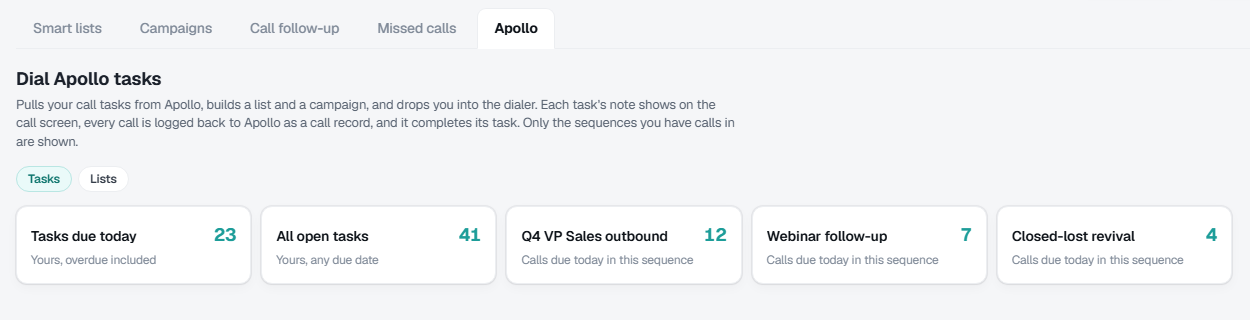
- On Home, the Apollo tab shows your call tasks due today and all open ones, and the sequences they belong to.
- Pick all of them or one sequence and CallCloud builds a ready campaign and drops you into the dialer.
- Each task's note shows on the call card while you dial.
- When the call is logged, the task completes in Apollo and the contact moves to the next sequence step.
Dial an Apollo list
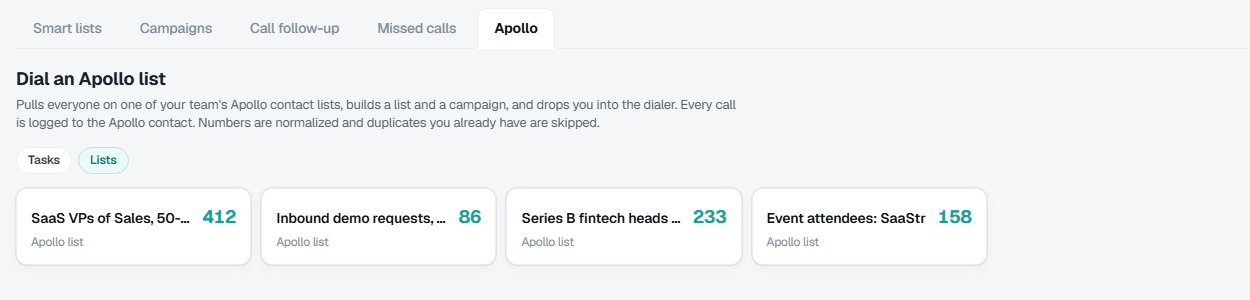
- Home, Apollo, Lists: pick a contact list and it becomes a campaign (up to 5,000 contacts, most recently updated first).
- To keep a list in step with Apollo, tick it in Settings, Integrations, Apollo. Ticked lists refresh every 15 minutes while your team dials.
- Contacts with no phone number are skipped and counted.
What goes back to Apollo
- Every call, as an Apollo call record on the contact: when, how long, the outcome the rep picked and their notes.
- The recording link and the AI summary, added to the same record once they are ready.
- The call task completed, and a new call task for each callback.
- Calls the dialer finishes on its own (a voicemail it skipped, a dead number) are logged too, so nothing goes missing.
Contact sync
- Into CallCloud: only the lists you tick. The Apollo contact owner becomes the prospect's owner when they have a CallCloud seat.
- Out to Apollo: every prospect created or edited in CallCloud, matched by Apollo contact, email or phone number. One switch in Settings turns this off.
- Apollo has no way for apps to write notes, so prospect notes stay in CallCloud; call notes go on the call record.
Security
- Apollo connects only by signing in (OAuth). CallCloud never sees or stores an Apollo password.
- Apollo tokens are encrypted at rest (AES-256-GCM) and refreshed automatically; disconnecting deletes them.
- All traffic uses TLS with HSTS. CallCloud runs on Amazon Web Services in the United States.
- More on how we handle data: callcloud.app/security.
Disconnect
- In CallCloud: Settings, Integrations, Disconnect on Apollo. Calls already logged stay in Apollo; prospects stay in CallCloud.
- To change the Apollo login, choose Reconnect: nothing is disconnected.
Troubleshooting
| You see | What to do |
|---|---|
| Apollo will not let you approve CallCloud | Sign in as an Apollo Admin or Billing and Seat Manager, or ask one to connect. |
| No call tasks show | Check the tasks are call tasks assigned to you in Apollo, or switch Due today to All open. |
| Calls stopped logging | Reconnect Apollo from Settings, Integrations. |
Questions or something missing? Email richard@callcloud.app.